
thoughts
In this space, I share my insights on AI tools, books, productivity tips, and design inspirations.
latest thoughts
thoughtful thoughts

thoughtful thoughts
🚀 Crafting Effective Prompts in RunwayML Gen-3 Alpha 🖥️
Here’s a quick formula to write powerful prompts:
[Camera Movement]: Describe the motion (e.g., “The camera rushes”)
[Establishing Scene]: Set the scene (e.g., “into a shadowy landscape of diverse wildflowers on a mountain hill”)
[Additional Details]: Add visual elements (e.g., “Twisting through the darkness of towering trees before emerging into a vibrant cityscape”).
This approach ensures your creative vision comes to life! 🌟 hashtag#AI hashtag#VideoCreation hashtag#RunwayML hashtag#CreativeDirection
date posted
Aug 18, 2024
area
design
🚀 Crafting Effective Prompts in RunwayML Gen-3 Alpha 🖥️
Here’s a quick formula to write powerful prompts:
[Camera Movement]: Describe the motion (e.g., “The camera rushes”)
[Establishing Scene]: Set the scene (e.g., “into a shadowy landscape of diverse wildflowers on a mountain hill”)
[Additional Details]: Add visual elements (e.g., “Twisting through the darkness of towering trees before emerging into a vibrant cityscape”).
This approach ensures your creative vision comes to life! 🌟 hashtag#AI hashtag#VideoCreation hashtag#RunwayML hashtag#CreativeDirection
date posted
Aug 18, 2024
area
design
🚀 Crafting Effective Prompts in RunwayML Gen-3 Alpha 🖥️
Here’s a quick formula to write powerful prompts:
[Camera Movement]: Describe the motion (e.g., “The camera rushes”)
[Establishing Scene]: Set the scene (e.g., “into a shadowy landscape of diverse wildflowers on a mountain hill”)
[Additional Details]: Add visual elements (e.g., “Twisting through the darkness of towering trees before emerging into a vibrant cityscape”).
This approach ensures your creative vision comes to life! 🌟 hashtag#AI hashtag#VideoCreation hashtag#RunwayML hashtag#CreativeDirection
date posted
Aug 18, 2024
area
design
🚀 Crafting Effective Prompts in RunwayML Gen-3 Alpha 🖥️
Here’s a quick formula to write powerful prompts:
[Camera Movement]: Describe the motion (e.g., “The camera rushes”)
[Establishing Scene]: Set the scene (e.g., “into a shadowy landscape of diverse wildflowers on a mountain hill”)
[Additional Details]: Add visual elements (e.g., “Twisting through the darkness of towering trees before emerging into a vibrant cityscape”).
This approach ensures your creative vision comes to life! 🌟 hashtag#AI hashtag#VideoCreation hashtag#RunwayML hashtag#CreativeDirection
date posted
Aug 18, 2024
area
design
Streamlining 3D Animation with AI Tools
The 3D production pipeline can often feel intimidating and time-consuming, stretching across weeks of intensive work. However, with the advent of AI tools, the process is becoming much more accessible and significantly faster. At least in the pre-production phase, tasks like storyboarding and initial blocking animation, which typically take weeks and consume vast resources, can now be streamlined.
By embracing AI tools such as Midjourney and Runway, I can demonstrate how you can not only save hours but also free up budget resources. This allows you to reallocate funds toward enhancing the final quality of your animation, investing in more detailed textures, or even expanding your creative vision.
date posted
Aug 15, 2024
area
design
Streamlining 3D Animation with AI Tools
The 3D production pipeline can often feel intimidating and time-consuming, stretching across weeks of intensive work. However, with the advent of AI tools, the process is becoming much more accessible and significantly faster. At least in the pre-production phase, tasks like storyboarding and initial blocking animation, which typically take weeks and consume vast resources, can now be streamlined.
By embracing AI tools such as Midjourney and Runway, I can demonstrate how you can not only save hours but also free up budget resources. This allows you to reallocate funds toward enhancing the final quality of your animation, investing in more detailed textures, or even expanding your creative vision.
date posted
Aug 15, 2024
area
design
Streamlining 3D Animation with AI Tools
The 3D production pipeline can often feel intimidating and time-consuming, stretching across weeks of intensive work. However, with the advent of AI tools, the process is becoming much more accessible and significantly faster. At least in the pre-production phase, tasks like storyboarding and initial blocking animation, which typically take weeks and consume vast resources, can now be streamlined.
By embracing AI tools such as Midjourney and Runway, I can demonstrate how you can not only save hours but also free up budget resources. This allows you to reallocate funds toward enhancing the final quality of your animation, investing in more detailed textures, or even expanding your creative vision.
date posted
Aug 15, 2024
area
design
Streamlining 3D Animation with AI Tools
The 3D production pipeline can often feel intimidating and time-consuming, stretching across weeks of intensive work. However, with the advent of AI tools, the process is becoming much more accessible and significantly faster. At least in the pre-production phase, tasks like storyboarding and initial blocking animation, which typically take weeks and consume vast resources, can now be streamlined.
By embracing AI tools such as Midjourney and Runway, I can demonstrate how you can not only save hours but also free up budget resources. This allows you to reallocate funds toward enhancing the final quality of your animation, investing in more detailed textures, or even expanding your creative vision.
date posted
Aug 15, 2024
area
design
Enhancing Content Cards with Subtle UI Motion Design
UI motion design adds depth and engagement to content cards, making them more than just static elements. Here’s how to apply subtle yet impactful animations:
The Role of Subtle Motion
In content cards, subtle animations can guide attention and enhance usability. For example, a card might start with a soft, light-colored background. On interaction, it shifts to cooler tones, adding depth and indicating interactivity. Another card might begin in neutral grays, warming up slightly with user engagement, creating a cozy and inviting effect.
Tips for Effective Motion Design
Purposeful Animations: Ensure every motion has a clear function, whether guiding the user or providing feedback.
Timing & Easing: Use smooth transitions like ease-in-out for natural-feeling animations.
Consistency: Maintain a uniform style across all content cards for a cohesive experience.
Performance: Optimize animations to avoid performance issues on any device.
By integrating thoughtful motion design, you can elevate content cards, making them dynamic and interactive, while ensuring a seamless user experience.
date posted
Aug 14, 2024
area
design
Enhancing Content Cards with Subtle UI Motion Design
UI motion design adds depth and engagement to content cards, making them more than just static elements. Here’s how to apply subtle yet impactful animations:
The Role of Subtle Motion
In content cards, subtle animations can guide attention and enhance usability. For example, a card might start with a soft, light-colored background. On interaction, it shifts to cooler tones, adding depth and indicating interactivity. Another card might begin in neutral grays, warming up slightly with user engagement, creating a cozy and inviting effect.
Tips for Effective Motion Design
Purposeful Animations: Ensure every motion has a clear function, whether guiding the user or providing feedback.
Timing & Easing: Use smooth transitions like ease-in-out for natural-feeling animations.
Consistency: Maintain a uniform style across all content cards for a cohesive experience.
Performance: Optimize animations to avoid performance issues on any device.
By integrating thoughtful motion design, you can elevate content cards, making them dynamic and interactive, while ensuring a seamless user experience.
date posted
Aug 14, 2024
area
design
Enhancing Content Cards with Subtle UI Motion Design
UI motion design adds depth and engagement to content cards, making them more than just static elements. Here’s how to apply subtle yet impactful animations:
The Role of Subtle Motion
In content cards, subtle animations can guide attention and enhance usability. For example, a card might start with a soft, light-colored background. On interaction, it shifts to cooler tones, adding depth and indicating interactivity. Another card might begin in neutral grays, warming up slightly with user engagement, creating a cozy and inviting effect.
Tips for Effective Motion Design
Purposeful Animations: Ensure every motion has a clear function, whether guiding the user or providing feedback.
Timing & Easing: Use smooth transitions like ease-in-out for natural-feeling animations.
Consistency: Maintain a uniform style across all content cards for a cohesive experience.
Performance: Optimize animations to avoid performance issues on any device.
By integrating thoughtful motion design, you can elevate content cards, making them dynamic and interactive, while ensuring a seamless user experience.
date posted
Aug 14, 2024
area
design
Enhancing Content Cards with Subtle UI Motion Design
UI motion design adds depth and engagement to content cards, making them more than just static elements. Here’s how to apply subtle yet impactful animations:
The Role of Subtle Motion
In content cards, subtle animations can guide attention and enhance usability. For example, a card might start with a soft, light-colored background. On interaction, it shifts to cooler tones, adding depth and indicating interactivity. Another card might begin in neutral grays, warming up slightly with user engagement, creating a cozy and inviting effect.
Tips for Effective Motion Design
Purposeful Animations: Ensure every motion has a clear function, whether guiding the user or providing feedback.
Timing & Easing: Use smooth transitions like ease-in-out for natural-feeling animations.
Consistency: Maintain a uniform style across all content cards for a cohesive experience.
Performance: Optimize animations to avoid performance issues on any device.
By integrating thoughtful motion design, you can elevate content cards, making them dynamic and interactive, while ensuring a seamless user experience.
date posted
Aug 14, 2024
area
design
Elevate Your UX with Content Card Motion Design
web motion design: content card

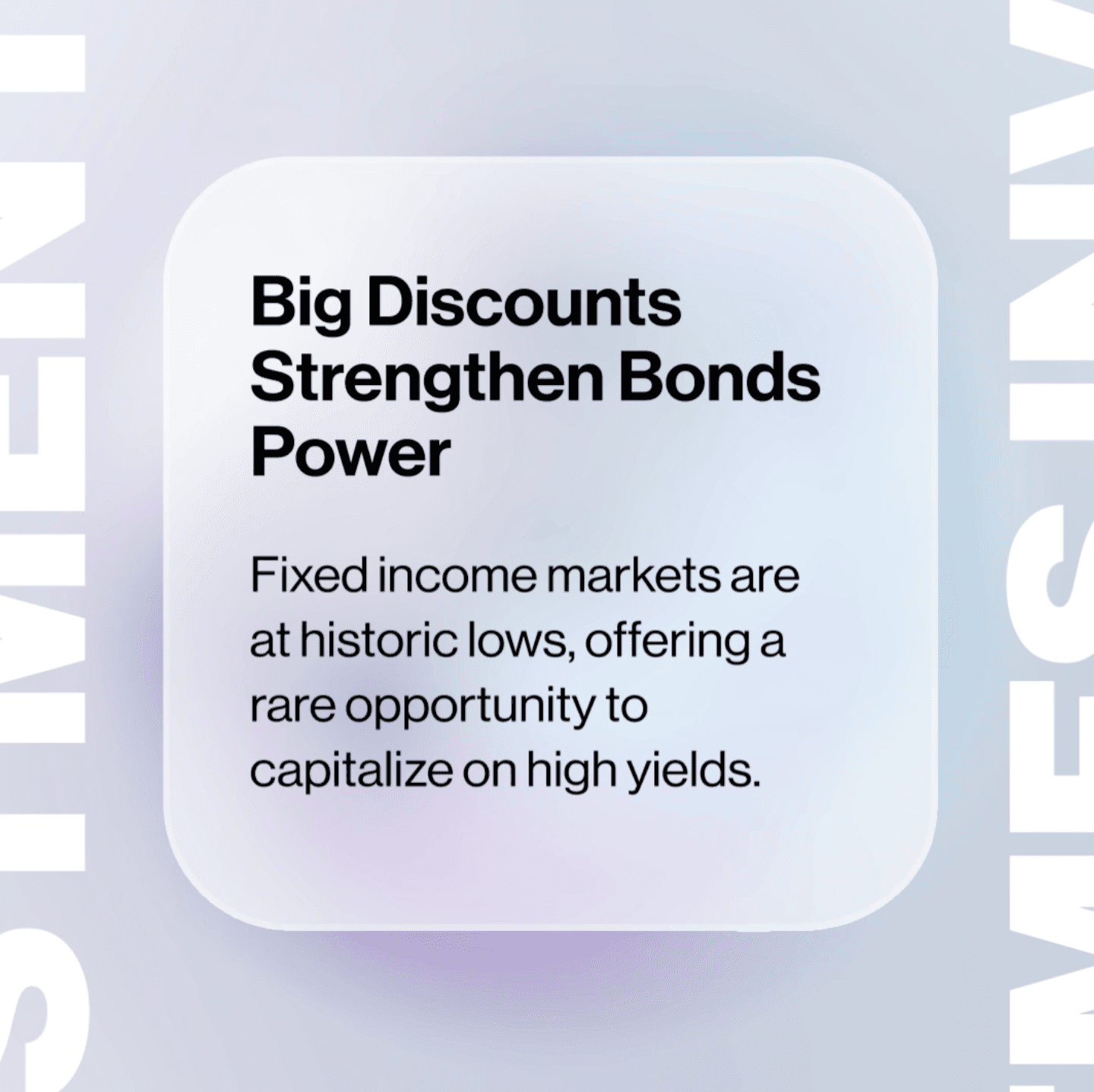
As part of my ongoing exploration into UX design, I recently created a dynamic and engaging content card motion design. In this blog post, I’ll walk you through the details of this design, focusing on the hover effect animation, ease-in-out transition, blur background effect, and how I added a touch of flair with image scaling and Y positioning animations.
The Concept
Content cards are a staple in web and mobile design, offering a concise and visually appealing way to present information. However, making these cards interactive and visually engaging can significantly enhance the user experience. To achieve this, I focused on creating a hover effect that not only draws attention but also provides a smooth and delightful interaction.
The Hover Effect Animation
To make the content cards more interactive, I implemented a hover effect with an ease-in-out animation. This type of animation provides a smooth transition that feels natural to the user, enhancing the overall experience. The ease-in-out timing function starts the animation slowly, speeds up in the middle, and then slows down again at the end, creating a polished and professional effect.
Adding the Blur Background Effect
One of the key elements of this design is the blur background effect. When a user hovers over a content card, the background behind the card blurs slightly. This effect helps to bring the content card into focus, subtly guiding the user’s attention to the card’s content. It also adds a layer of depth to the design, making it feel more immersive.
Enhancing with Image Scale Up and Y Positioning
To add an extra layer of engagement, I incorporated an image scale-up effect along with Y positioning animation. Here’s how it works:
• Image Scale Up: When the user hovers over the content card, the image within the card scales up slightly. This effect gives the impression that the image is coming closer to the user, making the card feel more interactive and lively.
• Y Positioning Animation: Alongside the scaling effect, the image also moves slightly upward (Y positioning). This subtle movement enhances the feeling of interaction and draws the user’s eye to the image, creating a more dynamic and engaging experience.
Incorporating motion design into content cards can significantly enhance user engagement and interaction. By combining hover effects, ease-in-out animations, blur background effects, and image scale-up with Y positioning.
I hope this breakdown inspires you to experiment with motion design in your own projects.
date posted
Aug 3, 2024
area
ux design
Elevate Your UX with Content Card Motion Design
web motion design: content card
As part of my ongoing exploration into UX design, I recently created a dynamic and engaging content card motion design. In this blog post, I’ll walk you through the details of this design, focusing on the hover effect animation, ease-in-out transition, blur background effect, and how I added a touch of flair with image scaling and Y positioning animations.
The Concept
Content cards are a staple in web and mobile design, offering a concise and visually appealing way to present information. However, making these cards interactive and visually engaging can significantly enhance the user experience. To achieve this, I focused on creating a hover effect that not only draws attention but also provides a smooth and delightful interaction.
The Hover Effect Animation
To make the content cards more interactive, I implemented a hover effect with an ease-in-out animation. This type of animation provides a smooth transition that feels natural to the user, enhancing the overall experience. The ease-in-out timing function starts the animation slowly, speeds up in the middle, and then slows down again at the end, creating a polished and professional effect.
Adding the Blur Background Effect
One of the key elements of this design is the blur background effect. When a user hovers over a content card, the background behind the card blurs slightly. This effect helps to bring the content card into focus, subtly guiding the user’s attention to the card’s content. It also adds a layer of depth to the design, making it feel more immersive.
Enhancing with Image Scale Up and Y Positioning
To add an extra layer of engagement, I incorporated an image scale-up effect along with Y positioning animation. Here’s how it works:
• Image Scale Up: When the user hovers over the content card, the image within the card scales up slightly. This effect gives the impression that the image is coming closer to the user, making the card feel more interactive and lively.
• Y Positioning Animation: Alongside the scaling effect, the image also moves slightly upward (Y positioning). This subtle movement enhances the feeling of interaction and draws the user’s eye to the image, creating a more dynamic and engaging experience.
Incorporating motion design into content cards can significantly enhance user engagement and interaction. By combining hover effects, ease-in-out animations, blur background effects, and image scale-up with Y positioning.
I hope this breakdown inspires you to experiment with motion design in your own projects.
date posted
Aug 3, 2024
area
ux design
Elevate Your UX with Content Card Motion Design
web motion design: content card
As part of my ongoing exploration into UX design, I recently created a dynamic and engaging content card motion design. In this blog post, I’ll walk you through the details of this design, focusing on the hover effect animation, ease-in-out transition, blur background effect, and how I added a touch of flair with image scaling and Y positioning animations.
The Concept
Content cards are a staple in web and mobile design, offering a concise and visually appealing way to present information. However, making these cards interactive and visually engaging can significantly enhance the user experience. To achieve this, I focused on creating a hover effect that not only draws attention but also provides a smooth and delightful interaction.
The Hover Effect Animation
To make the content cards more interactive, I implemented a hover effect with an ease-in-out animation. This type of animation provides a smooth transition that feels natural to the user, enhancing the overall experience. The ease-in-out timing function starts the animation slowly, speeds up in the middle, and then slows down again at the end, creating a polished and professional effect.
Adding the Blur Background Effect
One of the key elements of this design is the blur background effect. When a user hovers over a content card, the background behind the card blurs slightly. This effect helps to bring the content card into focus, subtly guiding the user’s attention to the card’s content. It also adds a layer of depth to the design, making it feel more immersive.
Enhancing with Image Scale Up and Y Positioning
To add an extra layer of engagement, I incorporated an image scale-up effect along with Y positioning animation. Here’s how it works:
• Image Scale Up: When the user hovers over the content card, the image within the card scales up slightly. This effect gives the impression that the image is coming closer to the user, making the card feel more interactive and lively.
• Y Positioning Animation: Alongside the scaling effect, the image also moves slightly upward (Y positioning). This subtle movement enhances the feeling of interaction and draws the user’s eye to the image, creating a more dynamic and engaging experience.
Incorporating motion design into content cards can significantly enhance user engagement and interaction. By combining hover effects, ease-in-out animations, blur background effects, and image scale-up with Y positioning.
I hope this breakdown inspires you to experiment with motion design in your own projects.
date posted
Aug 3, 2024
area
ux design
Elevate Your UX with Content Card Motion Design
web motion design: content card
As part of my ongoing exploration into UX design, I recently created a dynamic and engaging content card motion design. In this blog post, I’ll walk you through the details of this design, focusing on the hover effect animation, ease-in-out transition, blur background effect, and how I added a touch of flair with image scaling and Y positioning animations.
The Concept
Content cards are a staple in web and mobile design, offering a concise and visually appealing way to present information. However, making these cards interactive and visually engaging can significantly enhance the user experience. To achieve this, I focused on creating a hover effect that not only draws attention but also provides a smooth and delightful interaction.
The Hover Effect Animation
To make the content cards more interactive, I implemented a hover effect with an ease-in-out animation. This type of animation provides a smooth transition that feels natural to the user, enhancing the overall experience. The ease-in-out timing function starts the animation slowly, speeds up in the middle, and then slows down again at the end, creating a polished and professional effect.
Adding the Blur Background Effect
One of the key elements of this design is the blur background effect. When a user hovers over a content card, the background behind the card blurs slightly. This effect helps to bring the content card into focus, subtly guiding the user’s attention to the card’s content. It also adds a layer of depth to the design, making it feel more immersive.
Enhancing with Image Scale Up and Y Positioning
To add an extra layer of engagement, I incorporated an image scale-up effect along with Y positioning animation. Here’s how it works:
• Image Scale Up: When the user hovers over the content card, the image within the card scales up slightly. This effect gives the impression that the image is coming closer to the user, making the card feel more interactive and lively.
• Y Positioning Animation: Alongside the scaling effect, the image also moves slightly upward (Y positioning). This subtle movement enhances the feeling of interaction and draws the user’s eye to the image, creating a more dynamic and engaging experience.
Incorporating motion design into content cards can significantly enhance user engagement and interaction. By combining hover effects, ease-in-out animations, blur background effects, and image scale-up with Y positioning.
I hope this breakdown inspires you to experiment with motion design in your own projects.
date posted
Aug 3, 2024
area
ux design
Composition and Framing in Midjourney
What distinguishes ✨AI-generated images as photorealistic and cinematic varies.
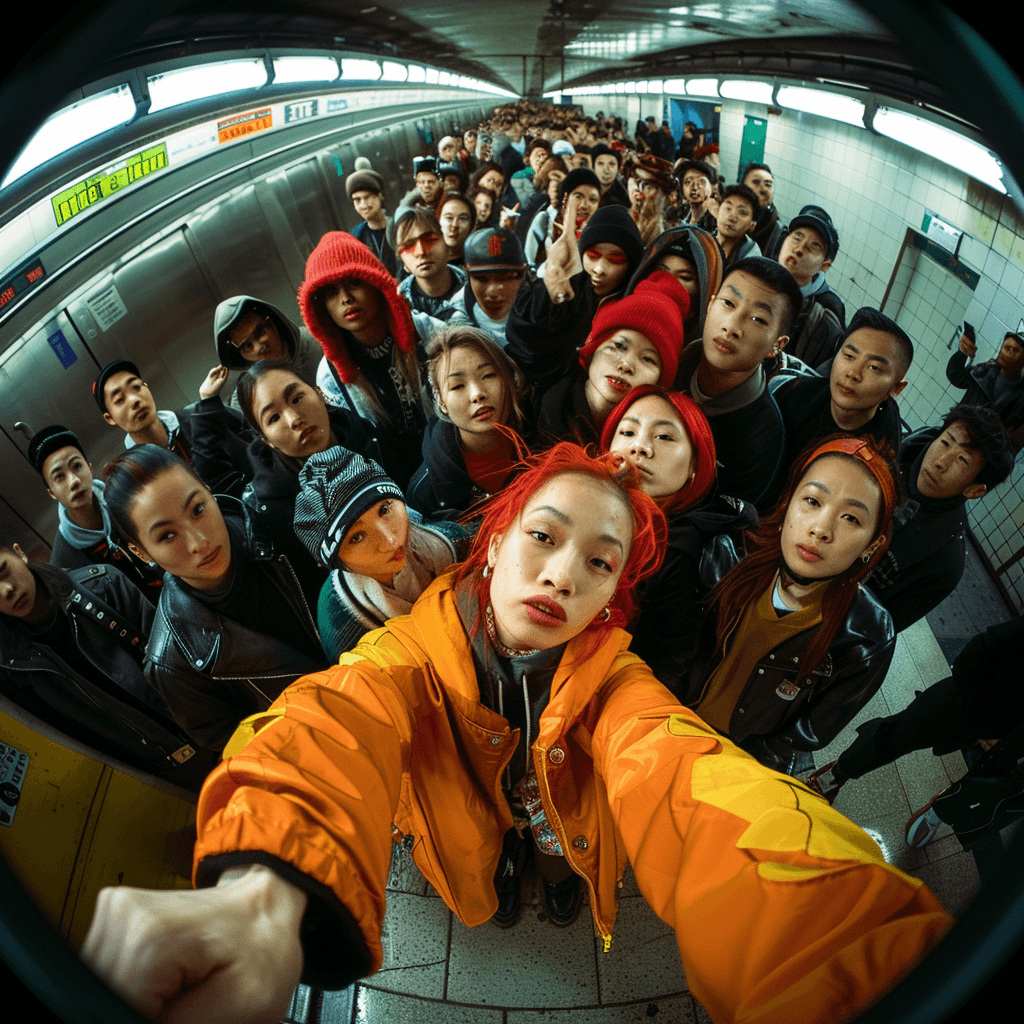
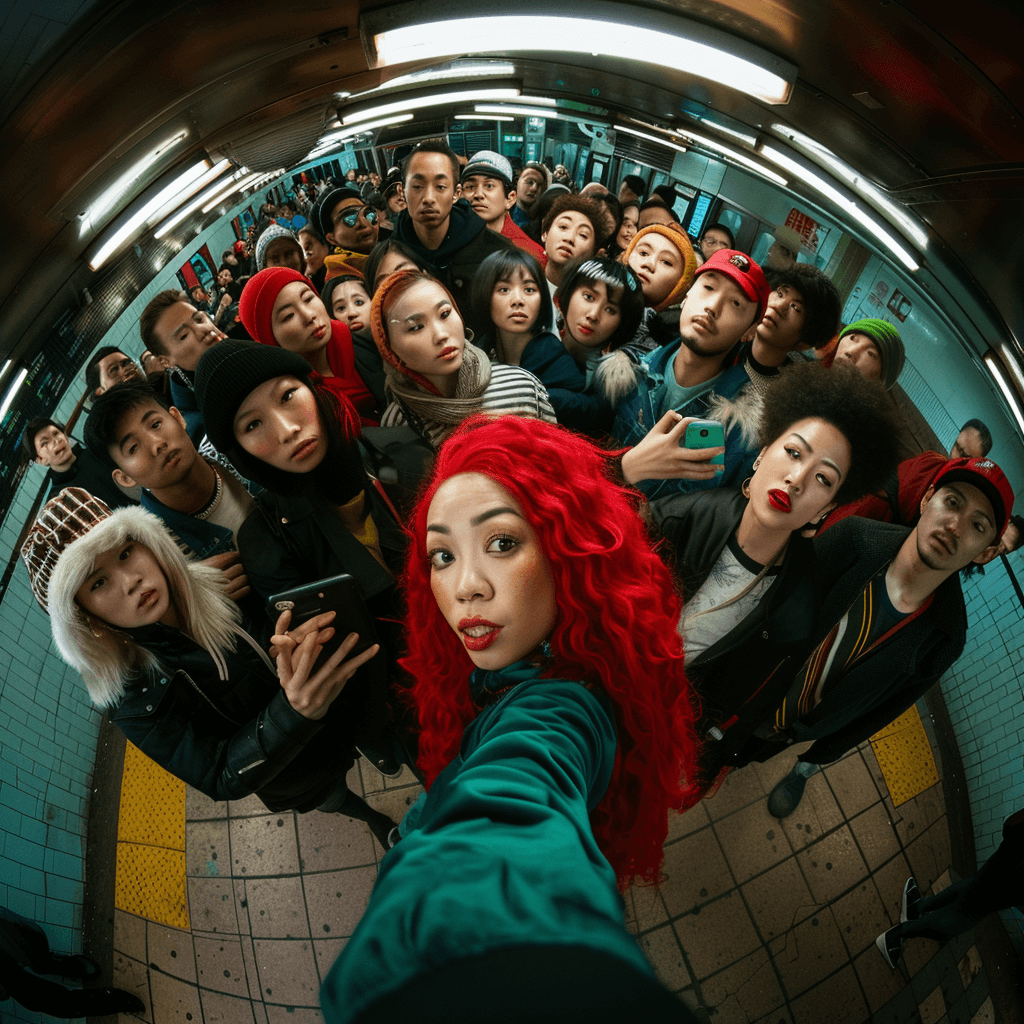
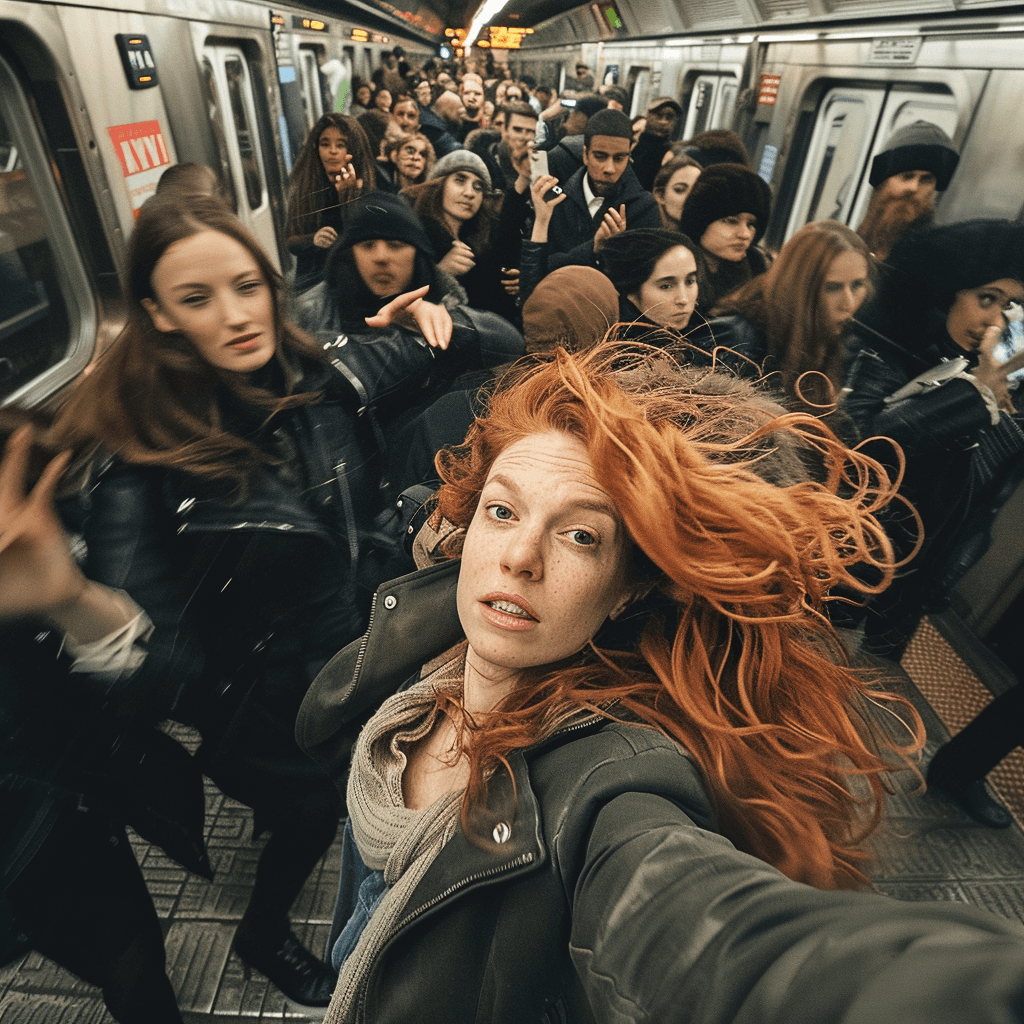
To achieve such levels of realism and cinematic quality, mastering several 🔑key aspects is essential, one of which involves 📸 camera angles and shots. Here are some angles to experiment with:
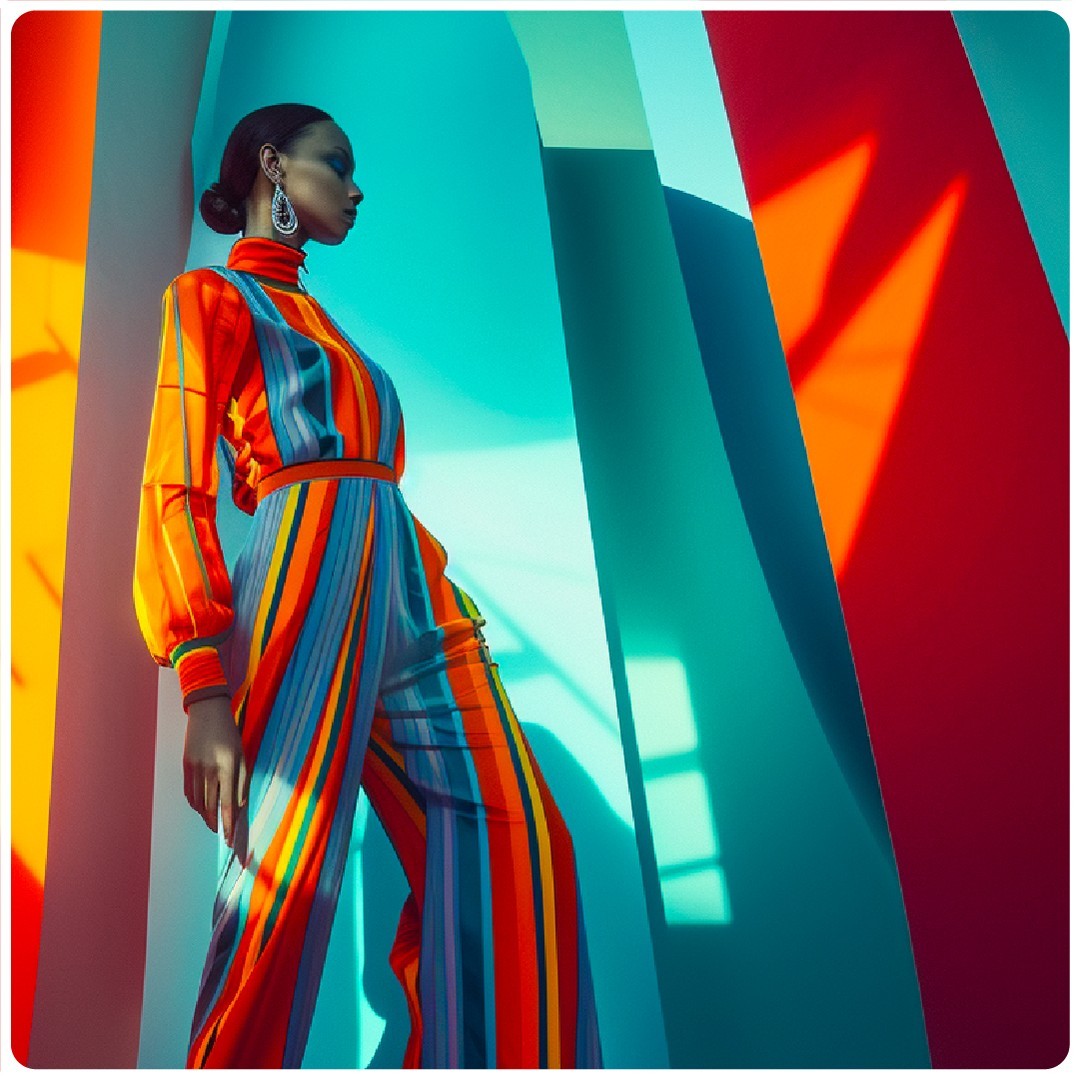
1. Low Angle Shot: Position the camera below the subject and angle it upwards, creating the illusion of heightened strength and increased stature.
2. High Angle Shot: Place the camera above the subject and angle it downward to convey a sense of vulnerability and diminished size.
3. Wide Angle Shot: To depict characters as weaker and smaller, position the camera above the subject and tilt it downward.
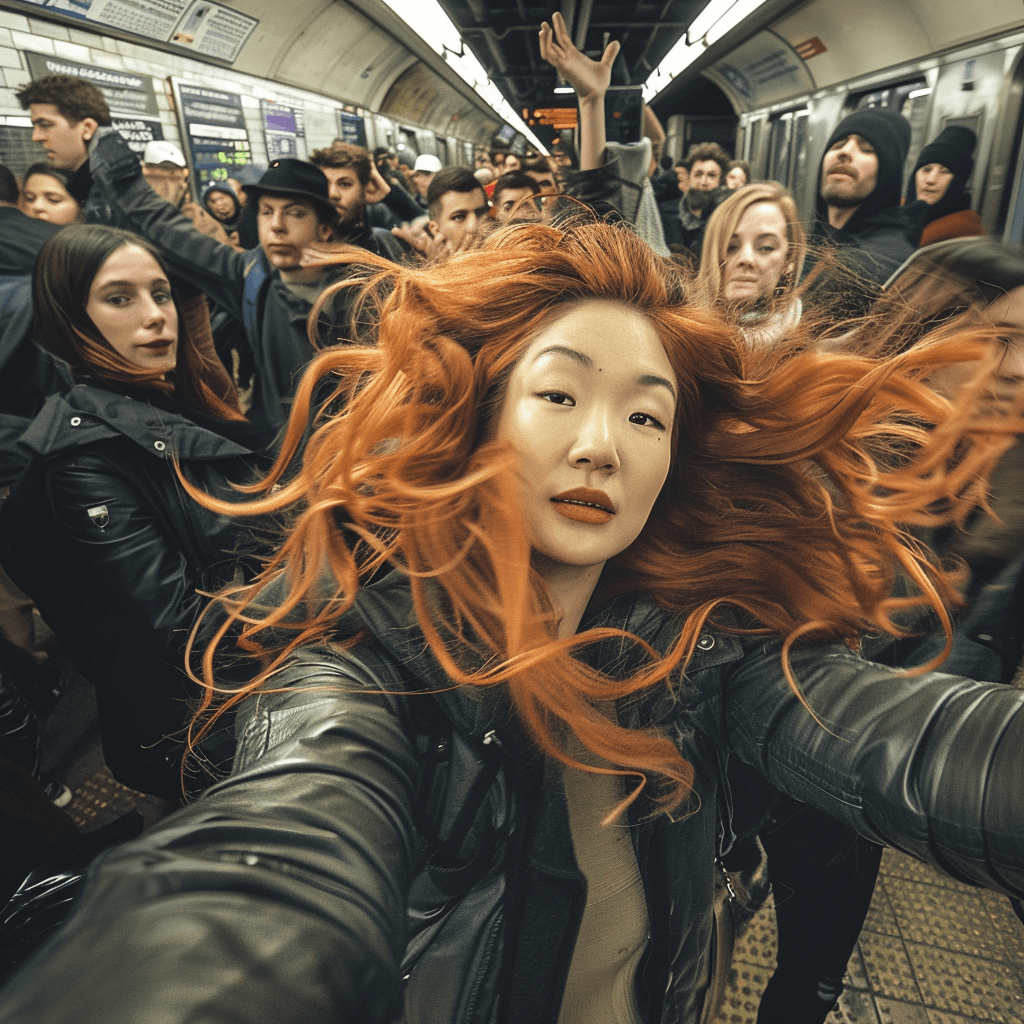
4. Fisheye Lens Shot: This shot captures an expansive field of view with a unique distortion, resembling the curvature of a fishbowl. #ai #midjourney #genai #prompt
date posted
Jun 5, 2024
area
ai tools
Composition and Framing in Midjourney
What distinguishes ✨AI-generated images as photorealistic and cinematic varies.
To achieve such levels of realism and cinematic quality, mastering several 🔑key aspects is essential, one of which involves 📸 camera angles and shots. Here are some angles to experiment with:
1. Low Angle Shot: Position the camera below the subject and angle it upwards, creating the illusion of heightened strength and increased stature.
2. High Angle Shot: Place the camera above the subject and angle it downward to convey a sense of vulnerability and diminished size.
3. Wide Angle Shot: To depict characters as weaker and smaller, position the camera above the subject and tilt it downward.
4. Fisheye Lens Shot: This shot captures an expansive field of view with a unique distortion, resembling the curvature of a fishbowl. #ai #midjourney #genai #prompt
date posted
Jun 5, 2024
area
ai tools
Composition and Framing in Midjourney
What distinguishes ✨AI-generated images as photorealistic and cinematic varies.
To achieve such levels of realism and cinematic quality, mastering several 🔑key aspects is essential, one of which involves 📸 camera angles and shots. Here are some angles to experiment with:
1. Low Angle Shot: Position the camera below the subject and angle it upwards, creating the illusion of heightened strength and increased stature.
2. High Angle Shot: Place the camera above the subject and angle it downward to convey a sense of vulnerability and diminished size.
3. Wide Angle Shot: To depict characters as weaker and smaller, position the camera above the subject and tilt it downward.
4. Fisheye Lens Shot: This shot captures an expansive field of view with a unique distortion, resembling the curvature of a fishbowl. #ai #midjourney #genai #prompt
date posted
Jun 5, 2024
area
ai tools
Composition and Framing in Midjourney
What distinguishes ✨AI-generated images as photorealistic and cinematic varies.
To achieve such levels of realism and cinematic quality, mastering several 🔑key aspects is essential, one of which involves 📸 camera angles and shots. Here are some angles to experiment with:
1. Low Angle Shot: Position the camera below the subject and angle it upwards, creating the illusion of heightened strength and increased stature.
2. High Angle Shot: Place the camera above the subject and angle it downward to convey a sense of vulnerability and diminished size.
3. Wide Angle Shot: To depict characters as weaker and smaller, position the camera above the subject and tilt it downward.
4. Fisheye Lens Shot: This shot captures an expansive field of view with a unique distortion, resembling the curvature of a fishbowl. #ai #midjourney #genai #prompt
date posted
Jun 5, 2024
area
ai tools
Uno, dos, don'ts: One book. 365 Design Tips.
A Daily Dose of Inspiration for Graphic Designers and Creative Leaders. 📚
365 Design Tips is a unique and practical guide that offers you a tip for each day, covering topics such as typography, color, layout, imagery, production, and creative thinking. Each tip is presented in a fun, lighthearted fashion, with examples and illustrations to inspire you.
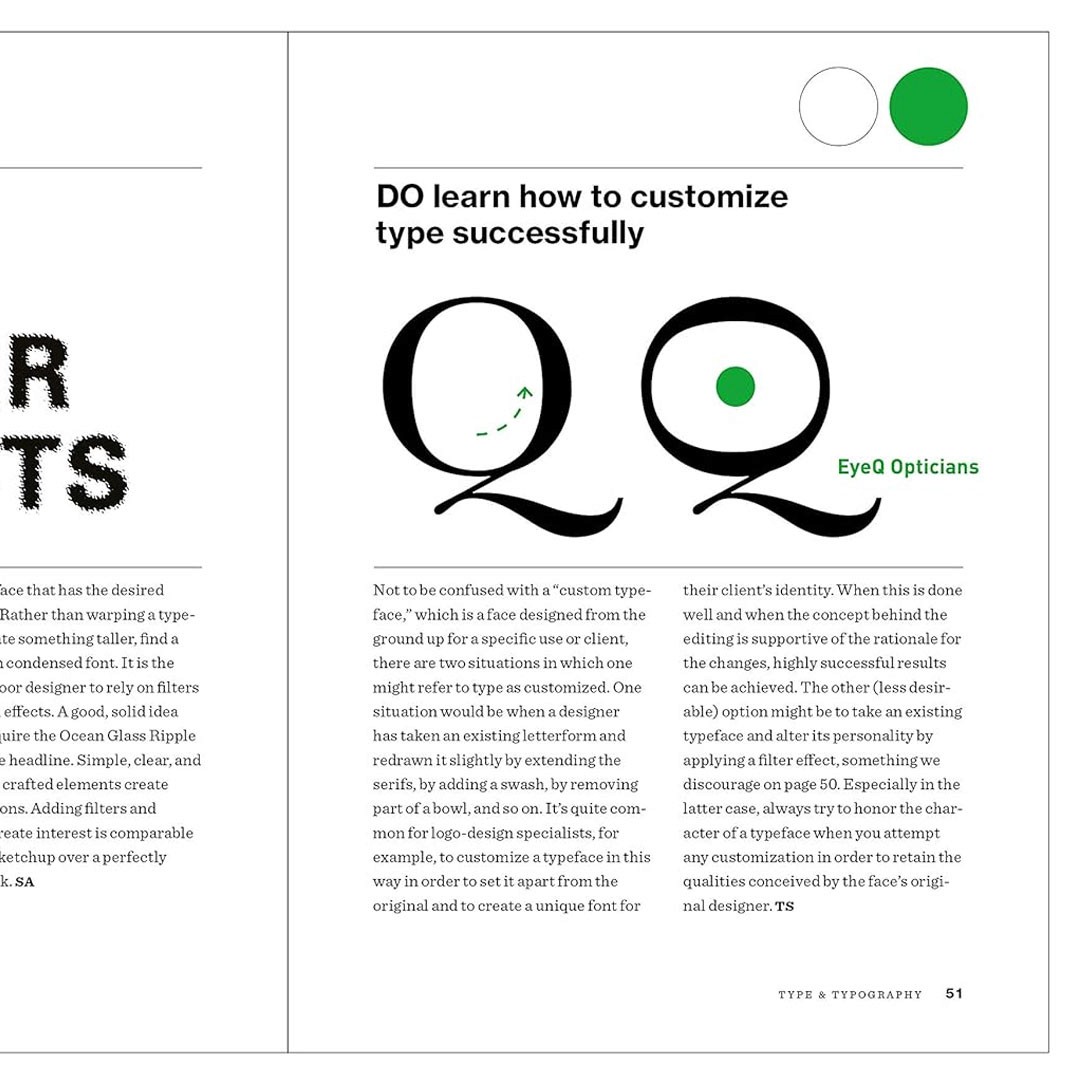
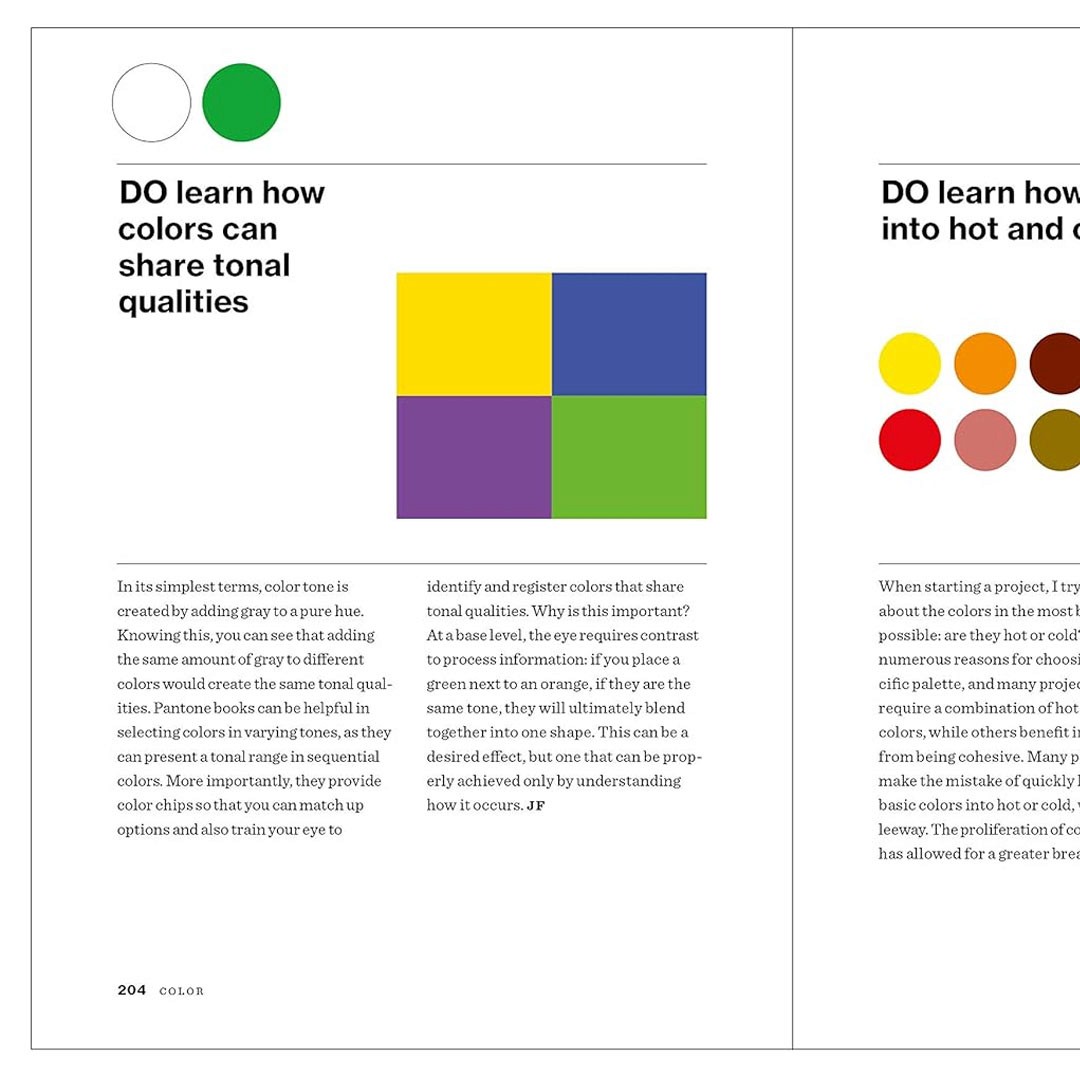
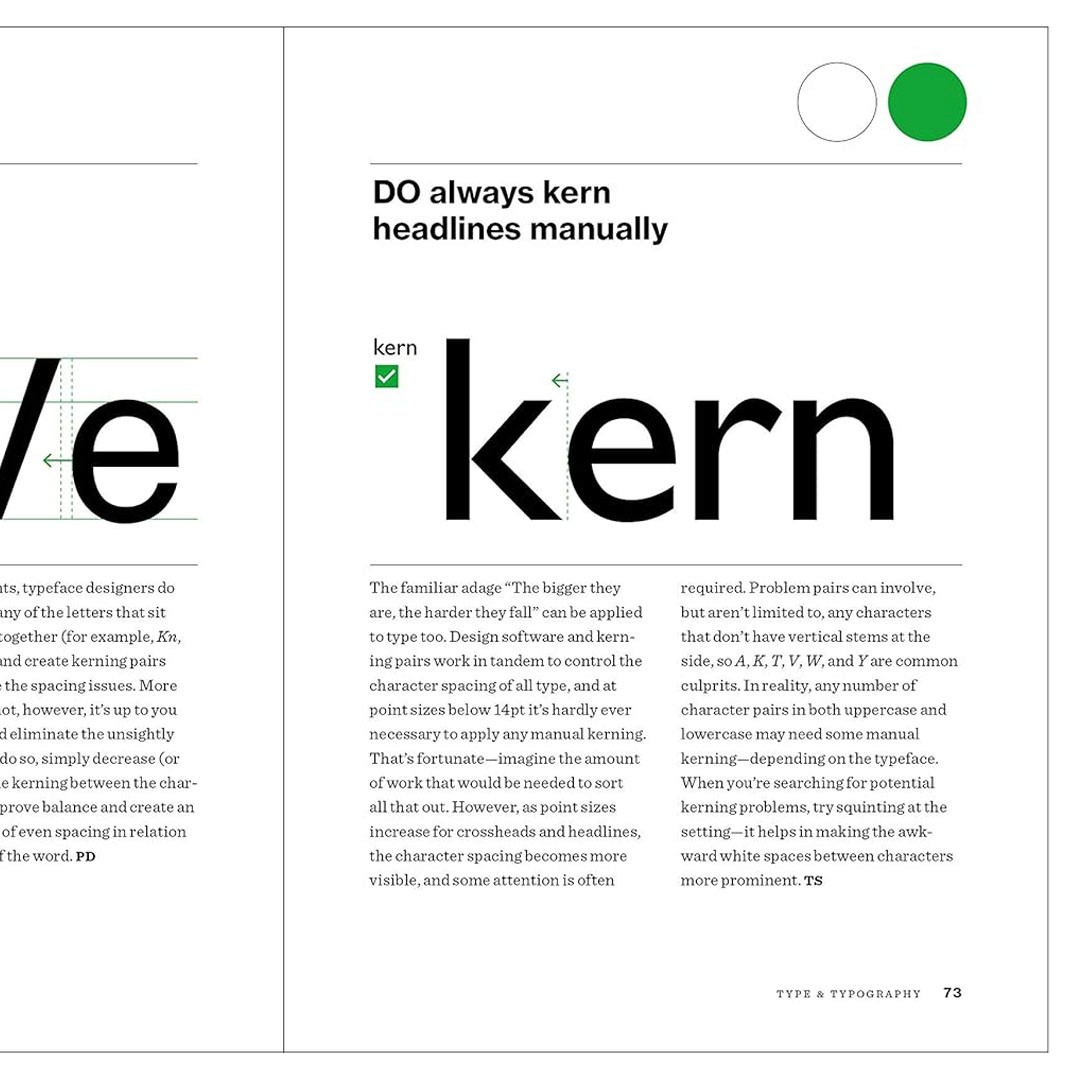
Whether you are a beginner or a seasoned professional, this book will help you master the fundamentals of graphic design and discover new ways to express your ideas. You can either dip in at random or follow the book as a daily lesson plan.
As a Creative Director, I use this book on my daily meetings with the team to review and guide them throughout the creative process of producing marketing materials for our clients. This book is a perfect working desk tool for any graphic designer who wants to stay sharp and motivated.
#thoughtfulthoughts
date posted
Feb 5, 2024
area
books
Uno, dos, don'ts: One book. 365 Design Tips.
A Daily Dose of Inspiration for Graphic Designers and Creative Leaders. 📚
365 Design Tips is a unique and practical guide that offers you a tip for each day, covering topics such as typography, color, layout, imagery, production, and creative thinking. Each tip is presented in a fun, lighthearted fashion, with examples and illustrations to inspire you.
Whether you are a beginner or a seasoned professional, this book will help you master the fundamentals of graphic design and discover new ways to express your ideas. You can either dip in at random or follow the book as a daily lesson plan.
As a Creative Director, I use this book on my daily meetings with the team to review and guide them throughout the creative process of producing marketing materials for our clients. This book is a perfect working desk tool for any graphic designer who wants to stay sharp and motivated.
#thoughtfulthoughts
date posted
Feb 5, 2024
area
books
Uno, dos, don'ts: One book. 365 Design Tips.
A Daily Dose of Inspiration for Graphic Designers and Creative Leaders. 📚
365 Design Tips is a unique and practical guide that offers you a tip for each day, covering topics such as typography, color, layout, imagery, production, and creative thinking. Each tip is presented in a fun, lighthearted fashion, with examples and illustrations to inspire you.
Whether you are a beginner or a seasoned professional, this book will help you master the fundamentals of graphic design and discover new ways to express your ideas. You can either dip in at random or follow the book as a daily lesson plan.
As a Creative Director, I use this book on my daily meetings with the team to review and guide them throughout the creative process of producing marketing materials for our clients. This book is a perfect working desk tool for any graphic designer who wants to stay sharp and motivated.
#thoughtfulthoughts
date posted
Feb 5, 2024
area
books
Uno, dos, don'ts: One book. 365 Design Tips.
A Daily Dose of Inspiration for Graphic Designers and Creative Leaders. 📚
365 Design Tips is a unique and practical guide that offers you a tip for each day, covering topics such as typography, color, layout, imagery, production, and creative thinking. Each tip is presented in a fun, lighthearted fashion, with examples and illustrations to inspire you.
Whether you are a beginner or a seasoned professional, this book will help you master the fundamentals of graphic design and discover new ways to express your ideas. You can either dip in at random or follow the book as a daily lesson plan.
As a Creative Director, I use this book on my daily meetings with the team to review and guide them throughout the creative process of producing marketing materials for our clients. This book is a perfect working desk tool for any graphic designer who wants to stay sharp and motivated.
#thoughtfulthoughts
date posted
Feb 5, 2024
area
books
Midjourney: Lenses. Set. Go! ✨
I find crafting the perfect prompt can be tricky, but it doesn't have to be! Let's tap into the power of real-world lenses to set the mood and style of your AI-generated artwork.
Here is what I found 📷 :
- Canon EOS 5D Mark IV: Capture timeless portraits bathed in warm sunlight, breathtaking landscapes bursting with detail, or the vibrant energy of events.
- Sony Alpha a7 III: Dive into the gritty authenticity of street photography, freeze the action of sports or wildlife, or explore the world with a traveler's eye.
- Hasselblad X1D: Craft exquisite fashion scenes, showcase products with sleek minimalism, or paint the grandeur of landscapes with painterly strokes.
- Canon EOS-1D X Mark II: Feel the adrenaline rush of sports photography, capture the untamed beauty of wildlife, or freeze-frame epic action sequences.
- Nikon D850: Indulge in the timeless charm of nostalgic portraits, or evoke the serenity of sweeping landscapes.
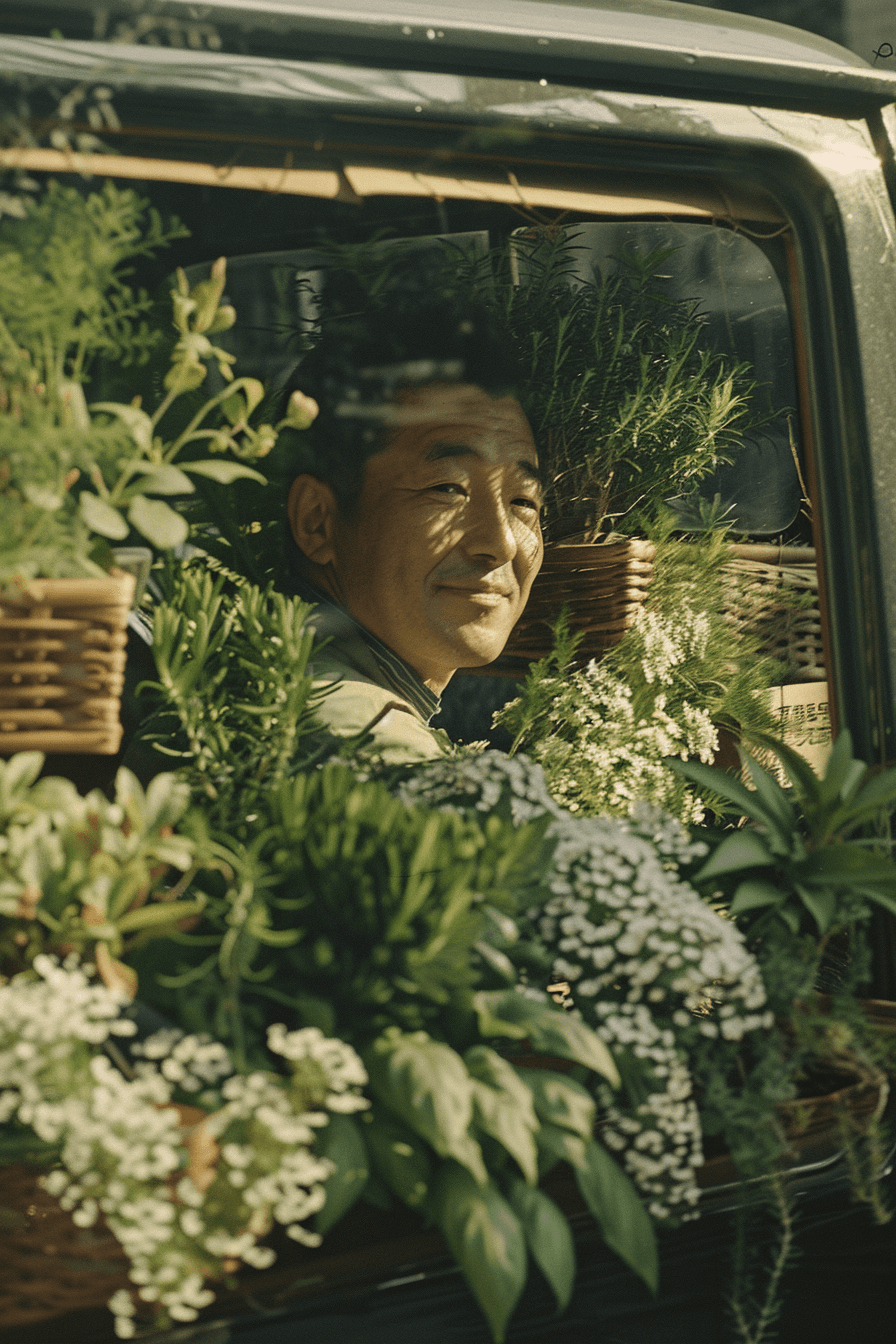
- Kodak Portra 800 film: Add a touch of vintage warmth and dreamy grain to any scene, evoking a bygone era with a click.
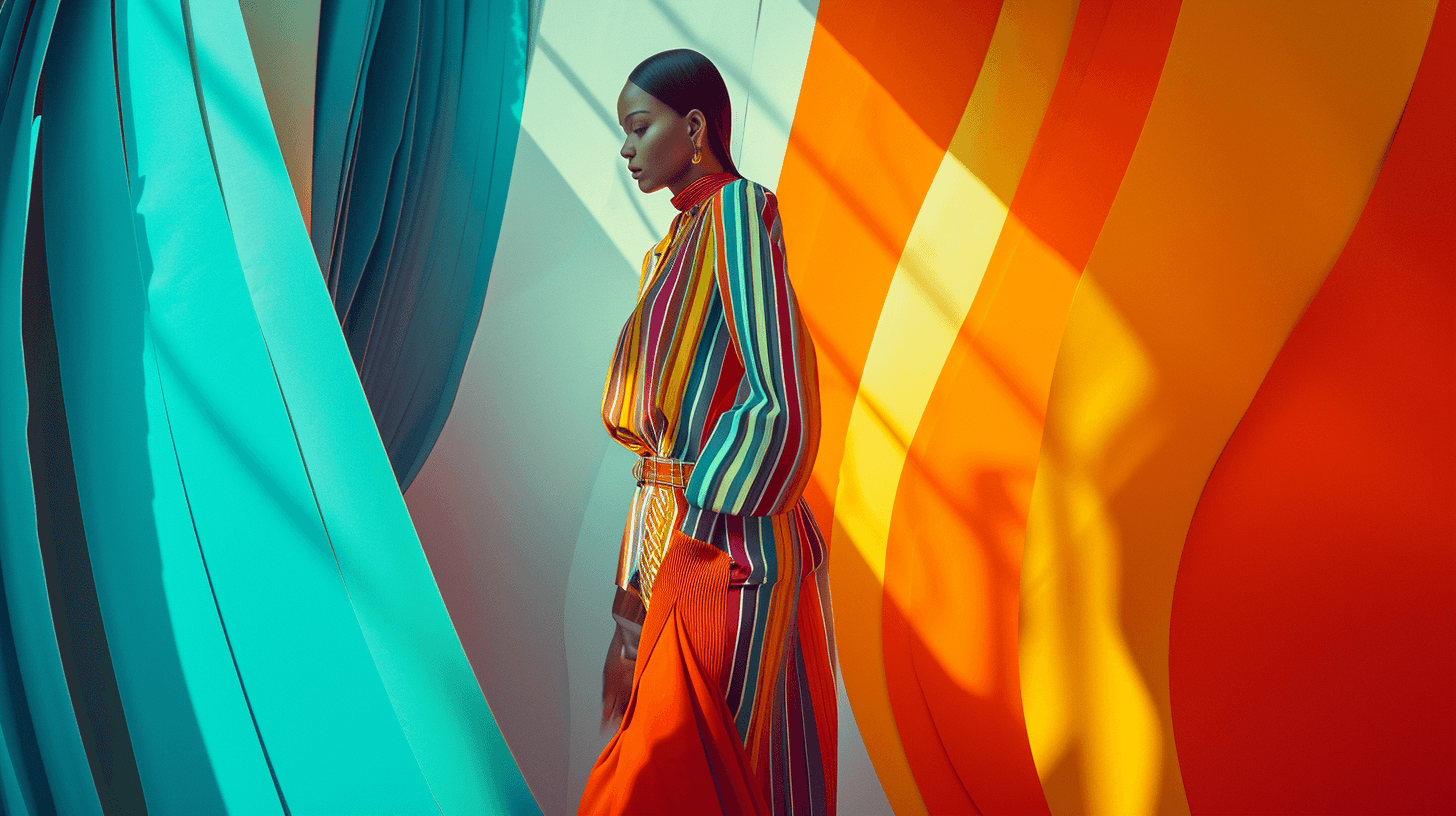
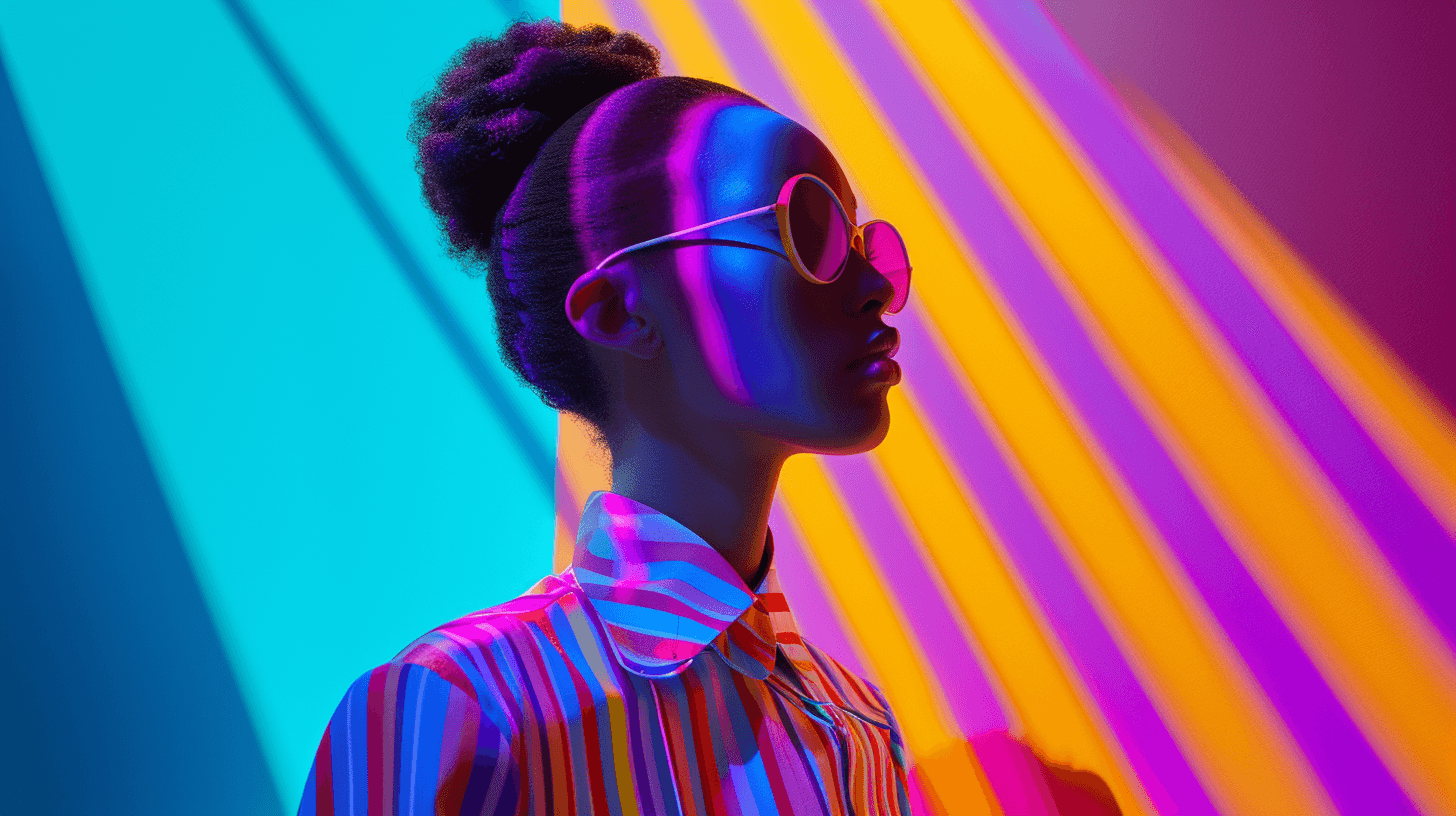
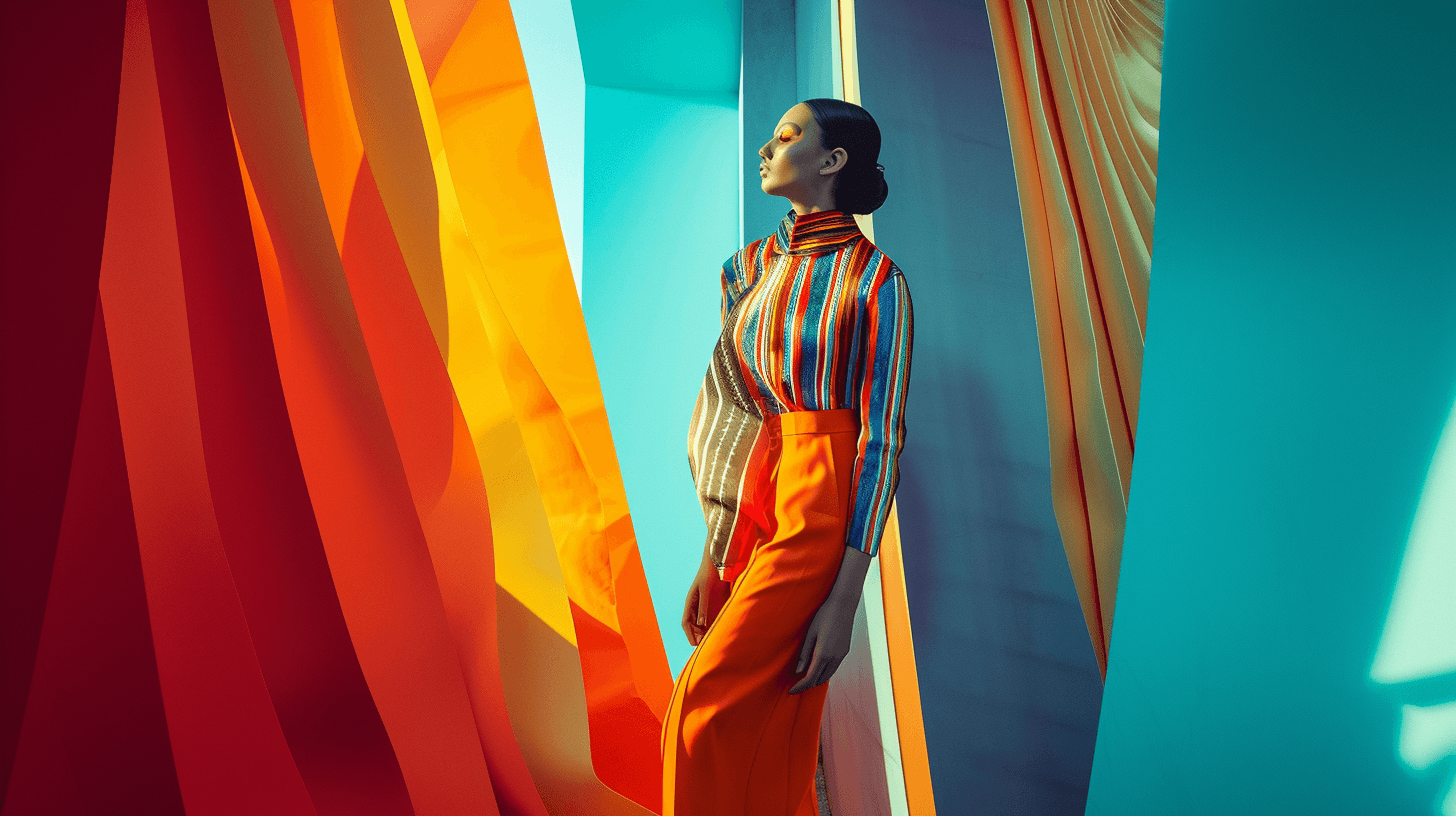
But wait, there's more!
Experiment, combine styles, and don't be afraid to break the rules! #Midjourney is your creative canvas, and these "lenses" are just tools to help you paint your masterpiece.
Additional Tips: Describe the lens effect and go beyond the camera model and mention specific characteristics like shallow depth of field, telephoto compression, or bokeh quality. #ai
date posted
Feb 4, 2024
area
ai tools
Midjourney: Lenses. Set. Go! ✨
I find crafting the perfect prompt can be tricky, but it doesn't have to be! Let's tap into the power of real-world lenses to set the mood and style of your AI-generated artwork.
Here is what I found 📷 :
- Canon EOS 5D Mark IV: Capture timeless portraits bathed in warm sunlight, breathtaking landscapes bursting with detail, or the vibrant energy of events.
- Sony Alpha a7 III: Dive into the gritty authenticity of street photography, freeze the action of sports or wildlife, or explore the world with a traveler's eye.
- Hasselblad X1D: Craft exquisite fashion scenes, showcase products with sleek minimalism, or paint the grandeur of landscapes with painterly strokes.
- Canon EOS-1D X Mark II: Feel the adrenaline rush of sports photography, capture the untamed beauty of wildlife, or freeze-frame epic action sequences.
- Nikon D850: Indulge in the timeless charm of nostalgic portraits, or evoke the serenity of sweeping landscapes.
- Kodak Portra 800 film: Add a touch of vintage warmth and dreamy grain to any scene, evoking a bygone era with a click.
But wait, there's more!
Experiment, combine styles, and don't be afraid to break the rules! #Midjourney is your creative canvas, and these "lenses" are just tools to help you paint your masterpiece.
Additional Tips: Describe the lens effect and go beyond the camera model and mention specific characteristics like shallow depth of field, telephoto compression, or bokeh quality. #ai
date posted
Feb 4, 2024
area
ai tools
Midjourney: Lenses. Set. Go! ✨
I find crafting the perfect prompt can be tricky, but it doesn't have to be! Let's tap into the power of real-world lenses to set the mood and style of your AI-generated artwork.
Here is what I found 📷 :
- Canon EOS 5D Mark IV: Capture timeless portraits bathed in warm sunlight, breathtaking landscapes bursting with detail, or the vibrant energy of events.
- Sony Alpha a7 III: Dive into the gritty authenticity of street photography, freeze the action of sports or wildlife, or explore the world with a traveler's eye.
- Hasselblad X1D: Craft exquisite fashion scenes, showcase products with sleek minimalism, or paint the grandeur of landscapes with painterly strokes.
- Canon EOS-1D X Mark II: Feel the adrenaline rush of sports photography, capture the untamed beauty of wildlife, or freeze-frame epic action sequences.
- Nikon D850: Indulge in the timeless charm of nostalgic portraits, or evoke the serenity of sweeping landscapes.
- Kodak Portra 800 film: Add a touch of vintage warmth and dreamy grain to any scene, evoking a bygone era with a click.
But wait, there's more!
Experiment, combine styles, and don't be afraid to break the rules! #Midjourney is your creative canvas, and these "lenses" are just tools to help you paint your masterpiece.
Additional Tips: Describe the lens effect and go beyond the camera model and mention specific characteristics like shallow depth of field, telephoto compression, or bokeh quality. #ai
date posted
Feb 4, 2024
area
ai tools
Midjourney: Lenses. Set. Go! ✨
I find crafting the perfect prompt can be tricky, but it doesn't have to be! Let's tap into the power of real-world lenses to set the mood and style of your AI-generated artwork.
Here is what I found 📷 :
- Canon EOS 5D Mark IV: Capture timeless portraits bathed in warm sunlight, breathtaking landscapes bursting with detail, or the vibrant energy of events.
- Sony Alpha a7 III: Dive into the gritty authenticity of street photography, freeze the action of sports or wildlife, or explore the world with a traveler's eye.
- Hasselblad X1D: Craft exquisite fashion scenes, showcase products with sleek minimalism, or paint the grandeur of landscapes with painterly strokes.
- Canon EOS-1D X Mark II: Feel the adrenaline rush of sports photography, capture the untamed beauty of wildlife, or freeze-frame epic action sequences.
- Nikon D850: Indulge in the timeless charm of nostalgic portraits, or evoke the serenity of sweeping landscapes.
- Kodak Portra 800 film: Add a touch of vintage warmth and dreamy grain to any scene, evoking a bygone era with a click.
But wait, there's more!
Experiment, combine styles, and don't be afraid to break the rules! #Midjourney is your creative canvas, and these "lenses" are just tools to help you paint your masterpiece.
Additional Tips: Describe the lens effect and go beyond the camera model and mention specific characteristics like shallow depth of field, telephoto compression, or bokeh quality. #ai
date posted
Feb 4, 2024
area
ai tools
say hello
i’m available for freelance projects. please email me to discuss potential collaboration opportunities.
say hello
i’m available for freelance projects. please email me to discuss potential collaboration opportunities.
say hello
i’m available for freelance projects. please email me to discuss potential collaboration opportunities.
say hello